 ERP
ERPExisting spreadsheet & manual processes
- Update inventory spreadsheets after every receipt or issue
- Ask individual owners about inventory at each warehouse
- Find and compare LOT and serial number history across files
WMS / INVENTORY
Manage the full process of receipt, storage, transfers, picking, and shipment in ERP instead of stock ledgers and separate inventory files.
Run previously separate manual processes in one system.
Core inventory & warehouse processes
Process digitization
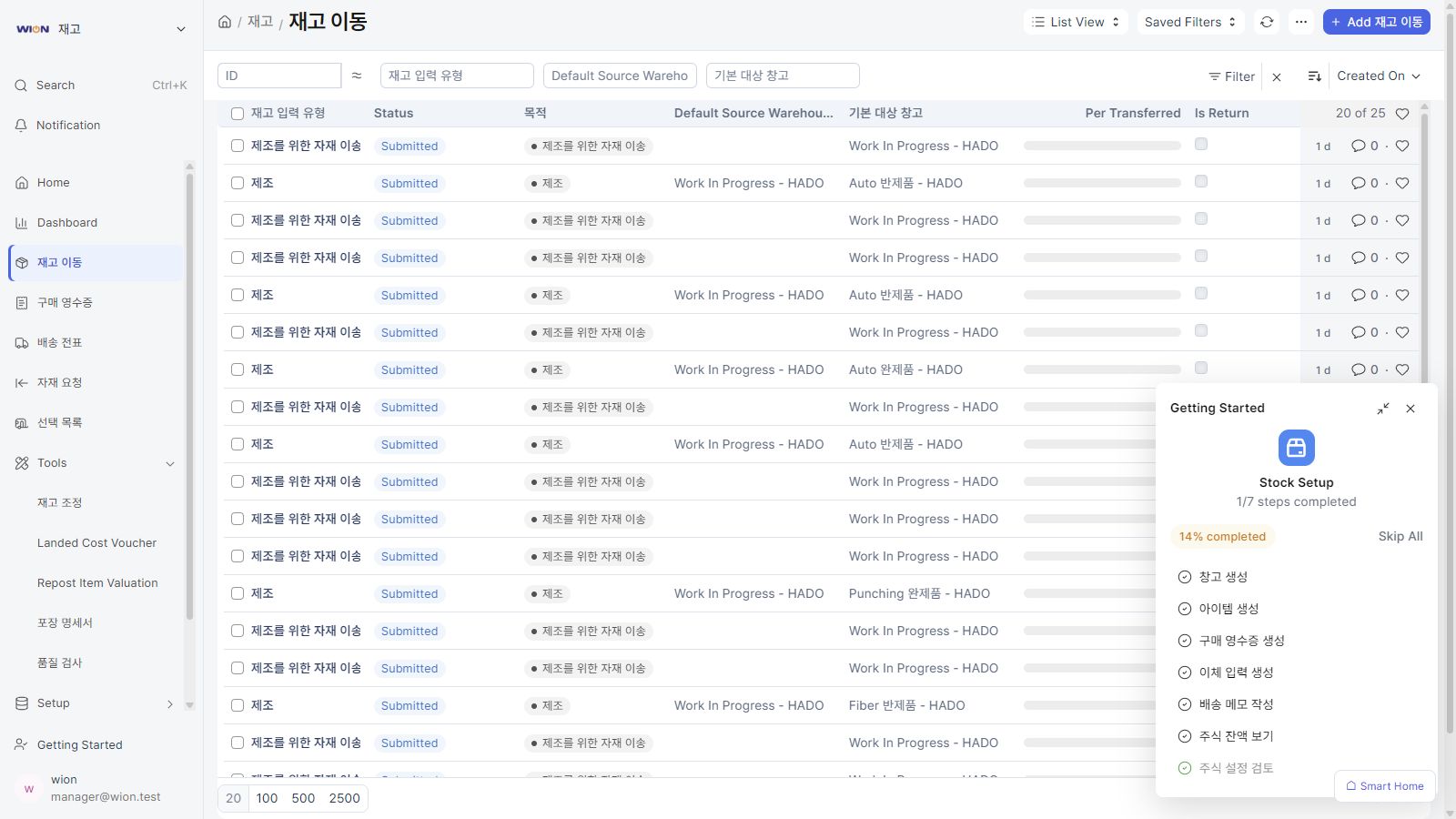
Connect and manage processes in WION ERP that previously required separate records and repeated data entry.
Record each stage in ERP and manage progress and results together.
Verify received quantities and link any required quality inspections.
Information managed in ERPPurchase receipt & inspection documentsRecord storage warehouses, stock transfers, and production consumption.
Information managed in ERPStock transfer recordsProcess picking and shipment, and review the progress of related sales orders.
Information managed in ERPPicking lists & shipment documentsReview stock discrepancies and look up linked Serial and LOT documents.
Information managed in ERPStock count & traceability recordsView owners, progress, approvals, and change history using the business information recorded in ERP.
Processes managed by the Inventory & Warehouses module.
Organize item and warehouse master data to view inventory.
Connect purchase receipts, production consumption and completion, warehouse transfers, and shipments.
Manage picking lists and shipment documents linked to sales orders.
Trace transfers, production, and inspections by serial number and LOT.
Compare physical stock counts with system quantities and review inventory status.
Connect recorded business information with related modules to view each department's processes and results.
Configure the processes to digitize and approval procedures to match your company's operations. Integrate with your existing accounting system when needed.
Register tasks and review progress in ERP screens instead of separate files.
Explore the full ERP module lineup.
View all modules ↗Review the processes you want to implement and the systems you already use.