 ERP
ERPExisting spreadsheet & manual processes
- Collect departmental spreadsheets to prepare status reports
- Ask each owner separately about project progress
- Reorganize data for every analysis
MANAGEMENT
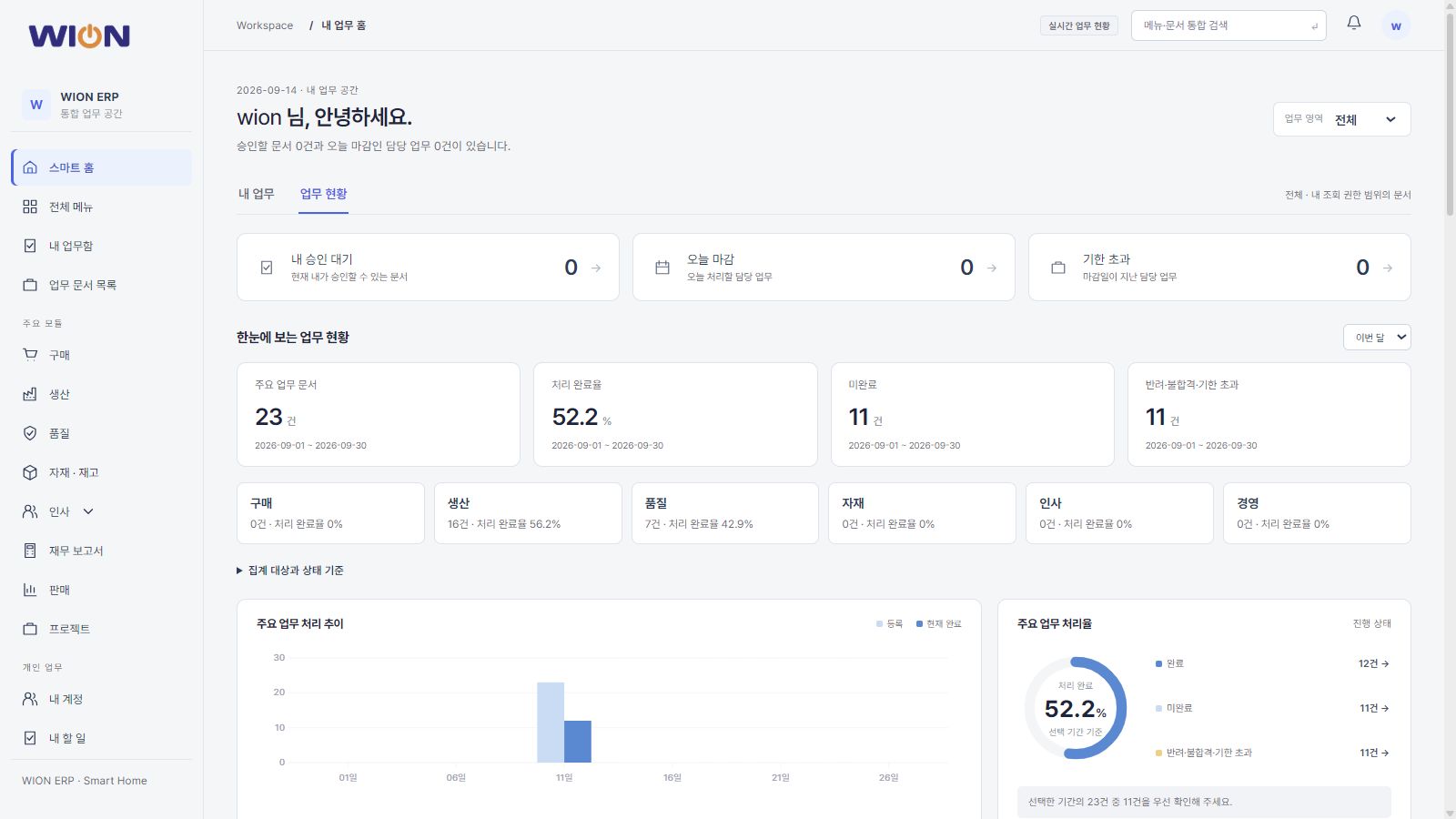
Replace separate departmental reporting with ERP Dashboard and project status views for digital management.
Run previously separate manual processes in one system.
Core management & dashboard processes
Process digitization
Connect and manage processes in WION ERP that previously required separate records and repeated data entry.
Record each stage in ERP and manage progress and results together.
Consolidate business information by period and department.
Information managed in ERPDepartmental business statusConfigure KPI and charts to monitor and review changes.
Information managed in ERPCustom dashboardsAssign tasks and record progress and updates.
Information managed in ERPTask & progress historyView and share the reports you need according to role permissions.
Information managed in ERPManagement reportsView owners, progress, approvals, and change history using the business information recorded in ERP.
Processes managed by the Management & Dashboards module.
Configure sales, inventory, production, and HR metrics and charts for each role.
Manage project owners, timelines, and progress, and link related processes.
Record project tasks and updates, and review progress by owner.
Review profit and loss, cash flow, and other indicators within the scope of business data and integrated external accounting data.
Connect recorded business information with related modules to view each department's processes and results.
Configure the processes to digitize and approval procedures to match your company's operations. Integrate with your existing accounting system when needed.
Register tasks and review progress in ERP screens instead of separate files.
Explore the full ERP module lineup.
View all modules ↗Review the processes you want to implement and the systems you already use.